Customer records, thoughtfully organized.
A calm home for every customer, conversation and next step.
Avenfile keeps the records of an independent service business in one place: who each customer is, what was said, and what has to happen next. Use it as a desktop app, or try it in the browser now.
The sample workspace opens in your browser with about 100 sample customers. No sign-up.
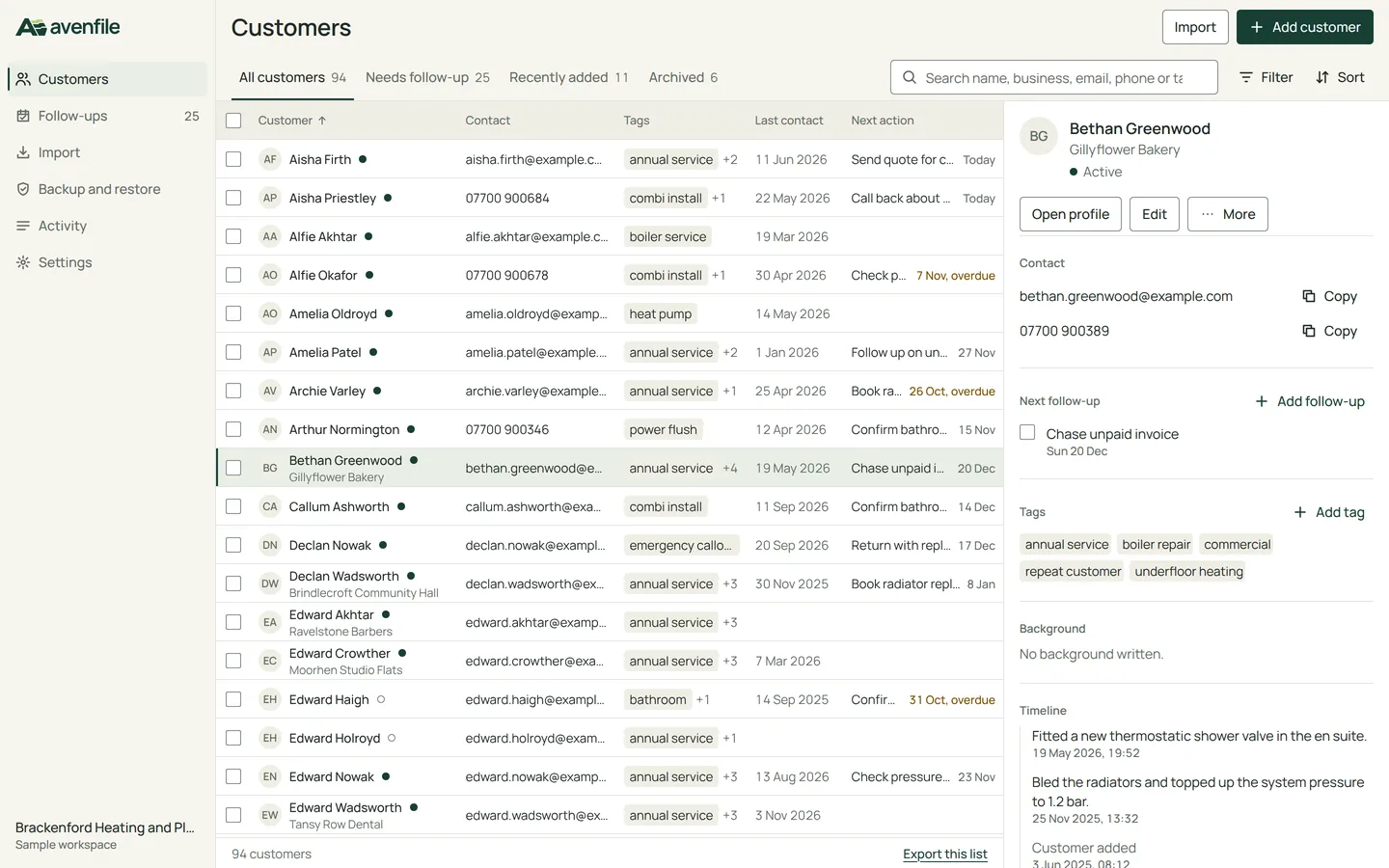
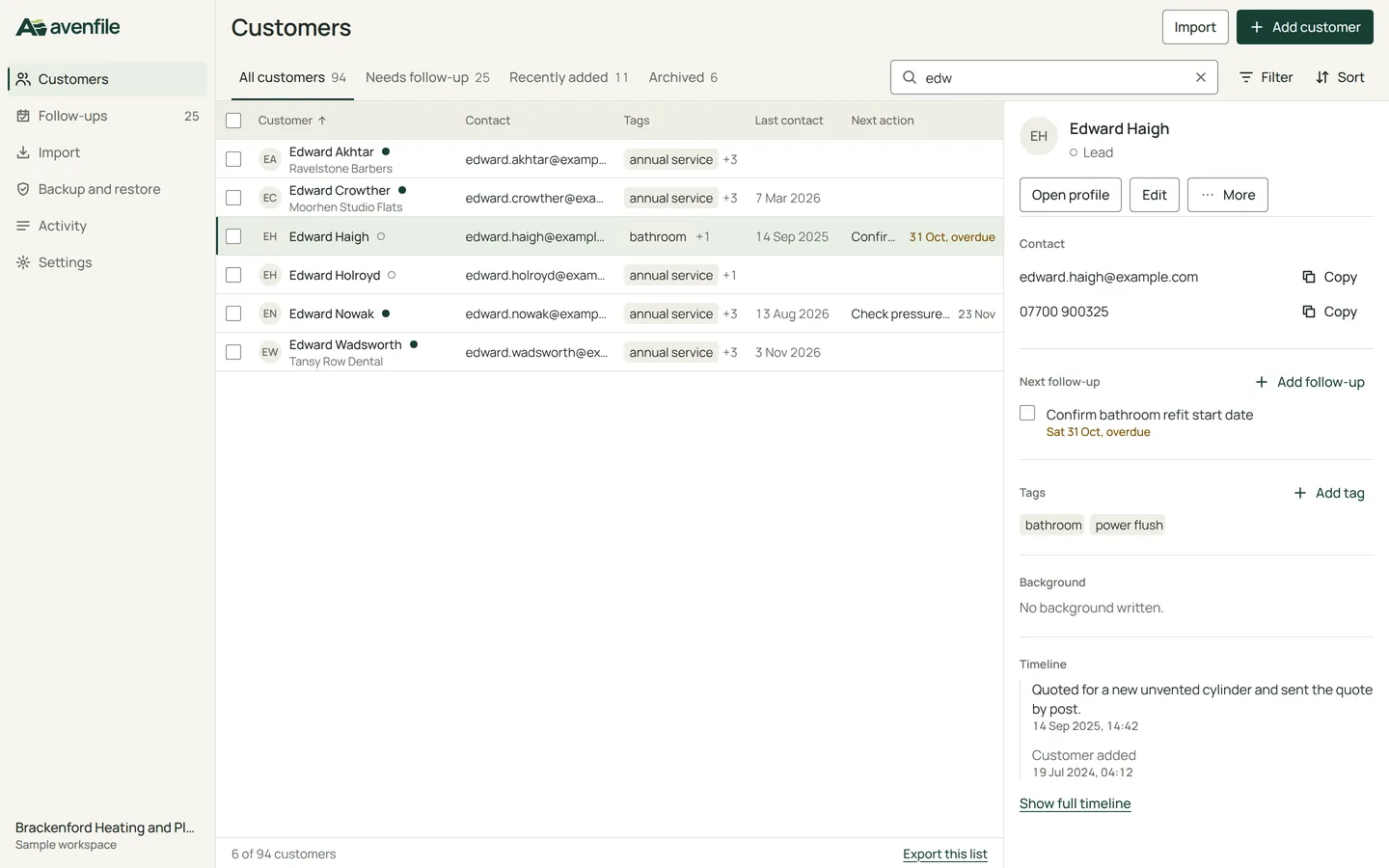
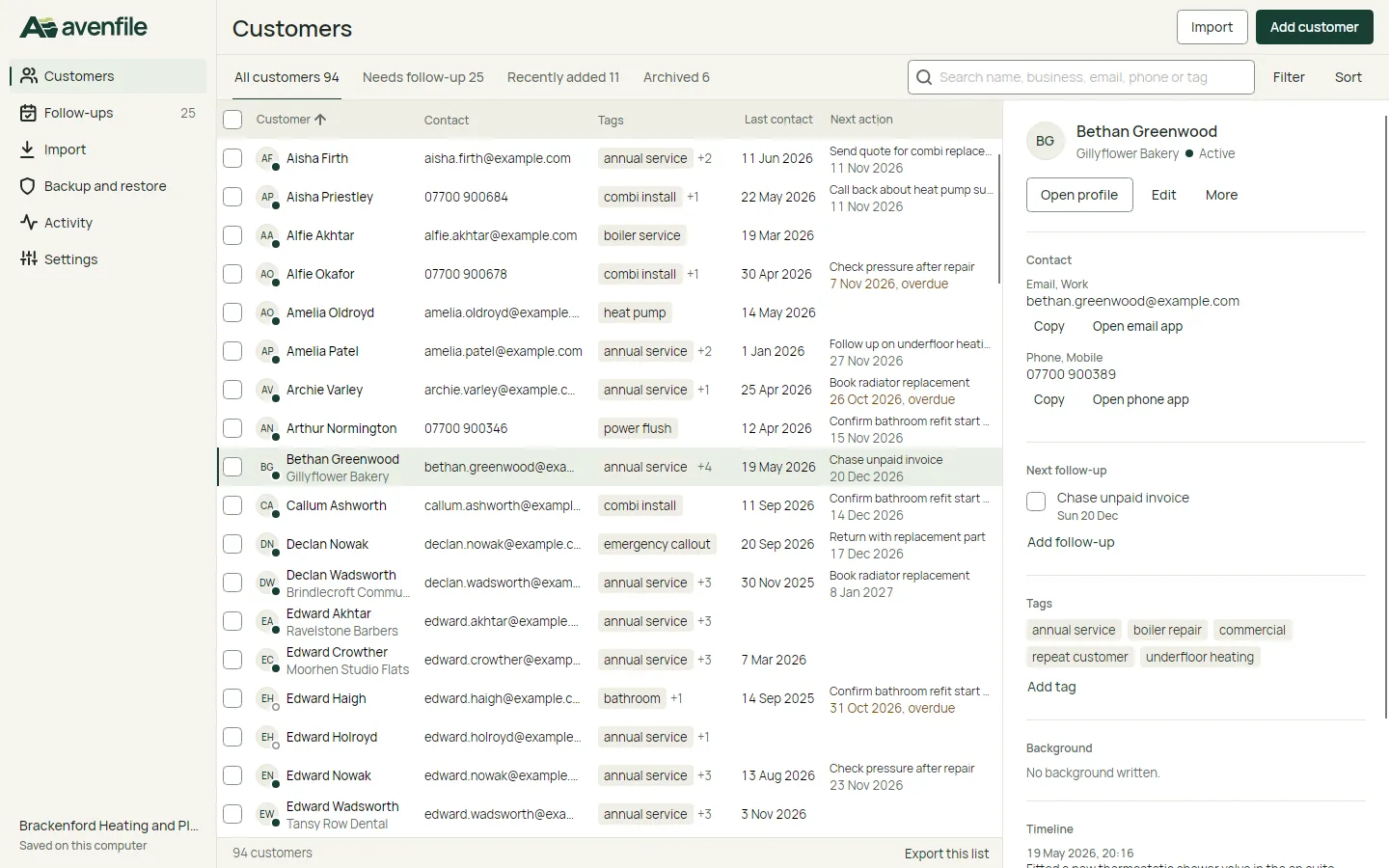
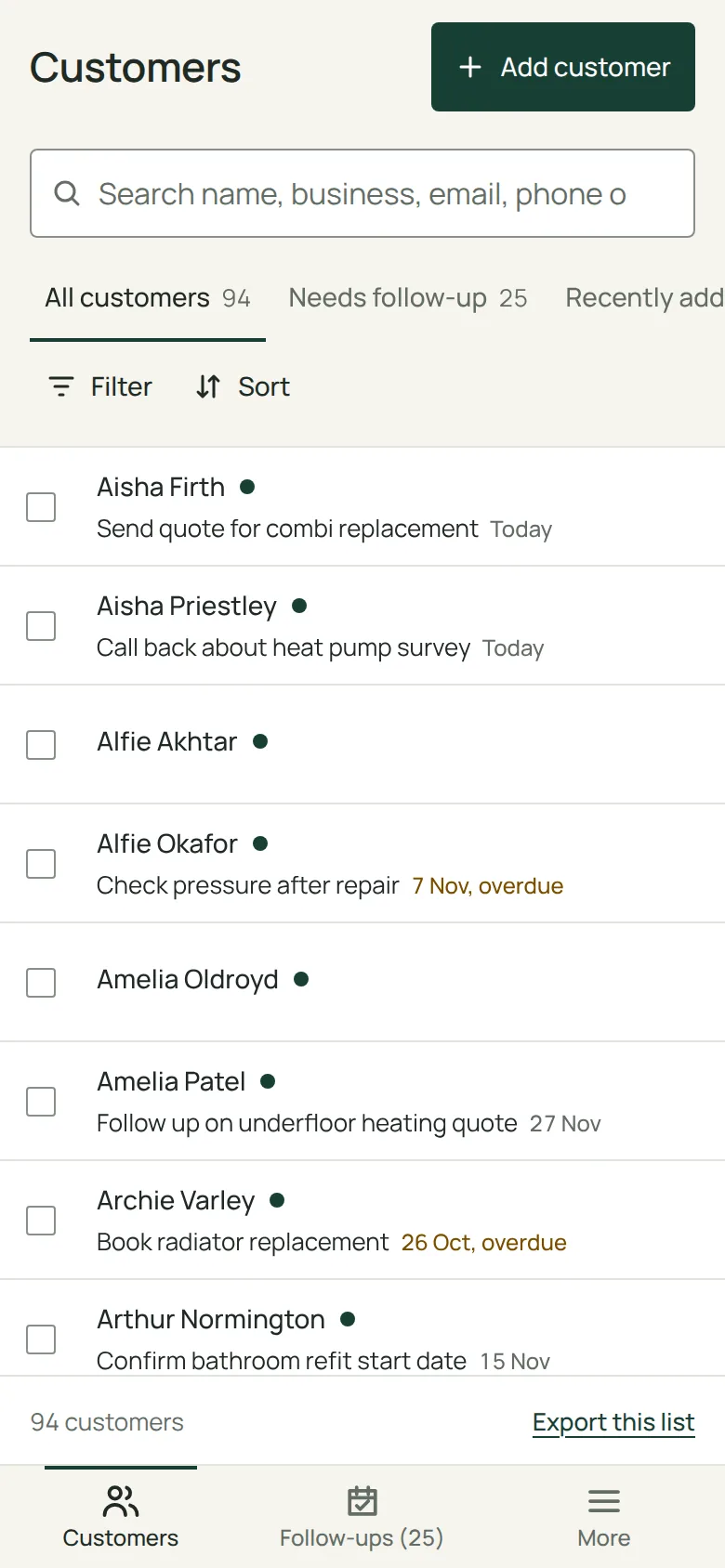
Search by name, business, email, phone or tag. The list narrows as you type, and the customer's details open beside it.
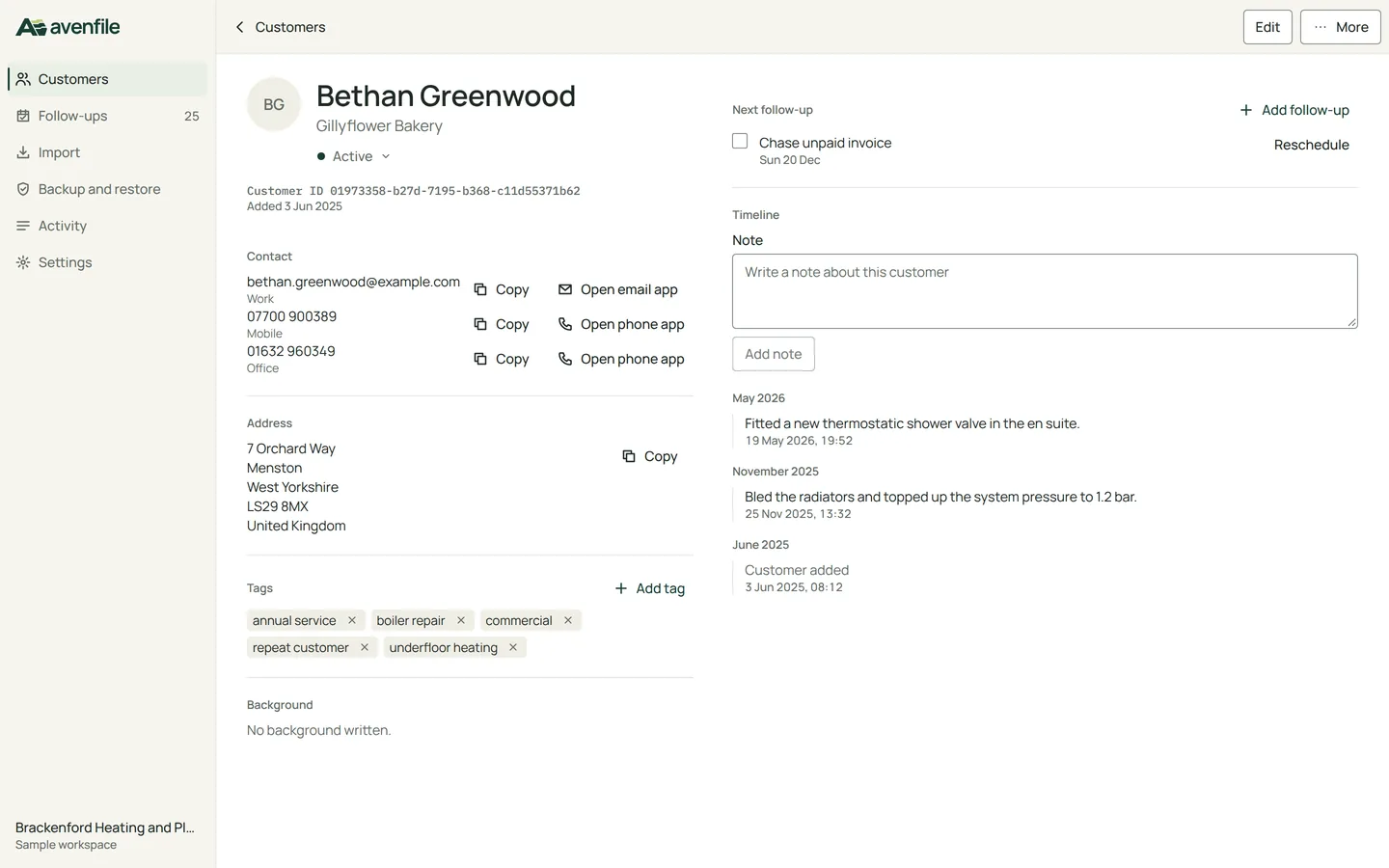
A customer's record holds every contact method, the address, tags, standing background notes and a dated timeline.
Follow-ups are grouped into today, overdue and upcoming. Ticking one off writes it to the customer's timeline.
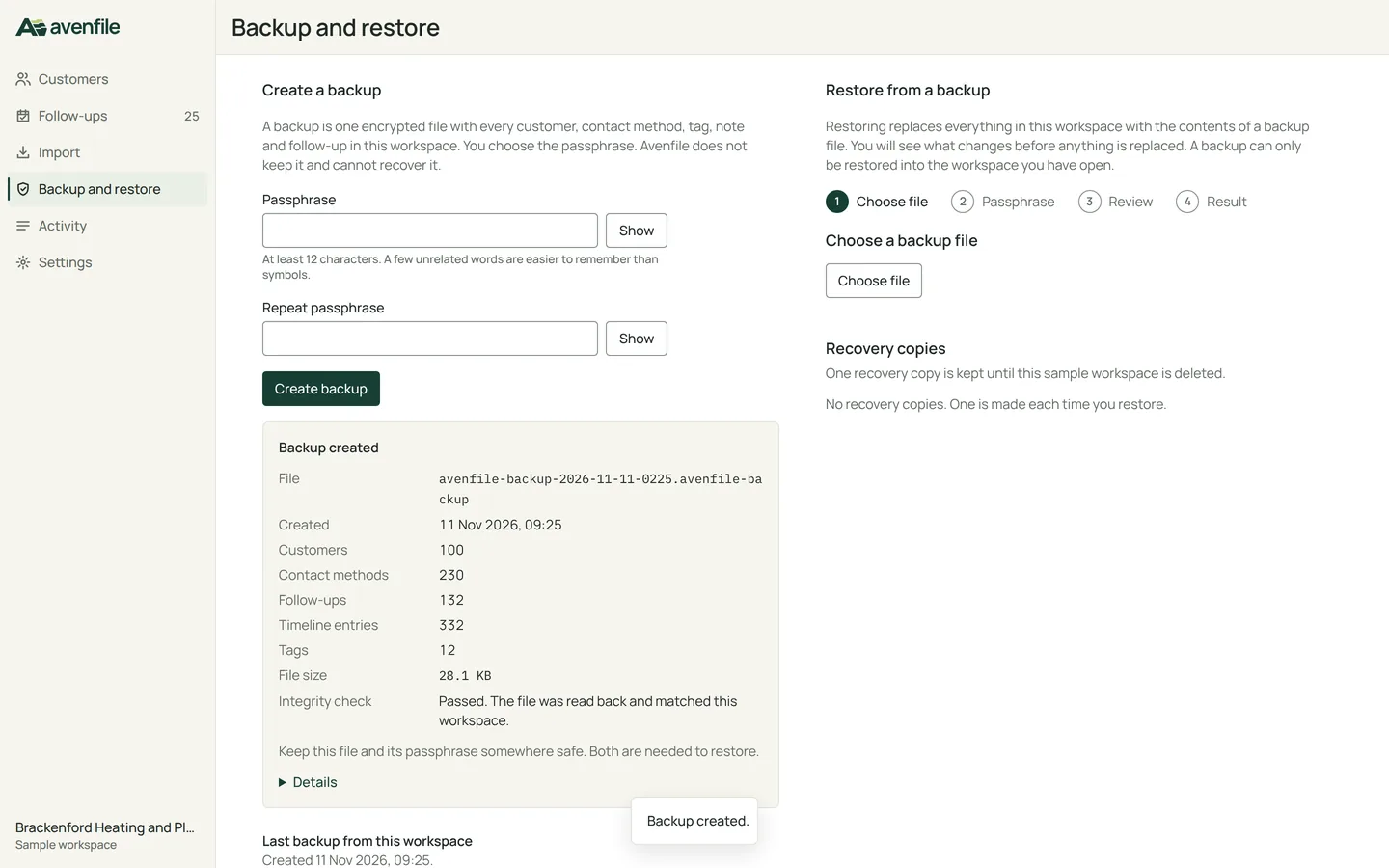
A backup is one encrypted file. Avenfile reads it back and checks it against the workspace before it reports success.
Built for the daily loop of a service business
Find the customer, read what happened last, record the next step. Everything else stays out of the way.
Find a customer fast
One search field matches names, businesses, every email address and phone number, and tags. Phone numbers match however they were typed, so 0207946 finds 020 7946 0018.
Four saved views, filters for status, tag, location and last contact, and a sort that remembers itself. Refresh the page or come back from a profile and the list is exactly where you left it.
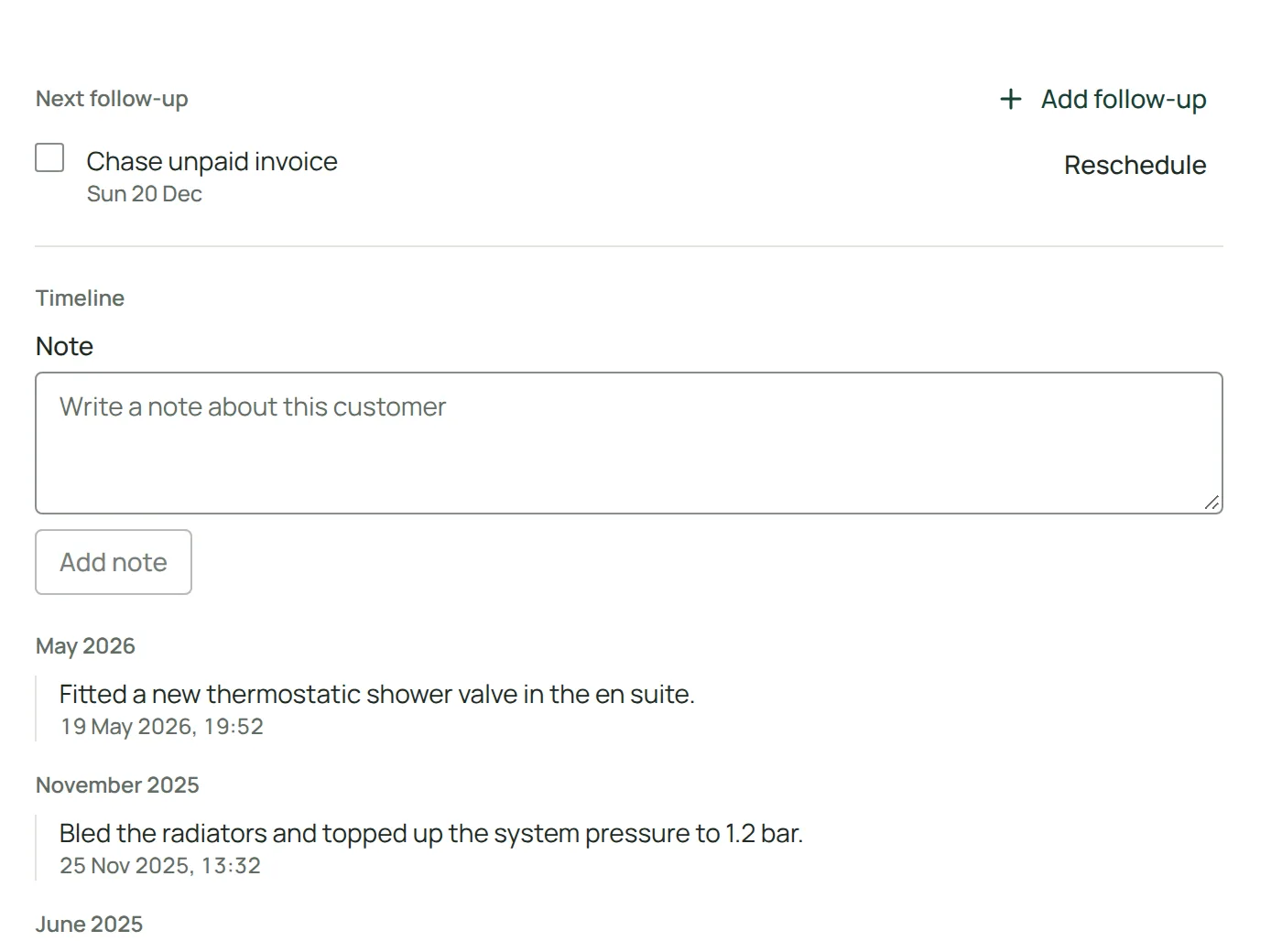
A timeline of what actually happened
Notes, changes to details and completed follow-ups are written to each customer's timeline as they happen, grouped by month. Nothing is generated to fill it.
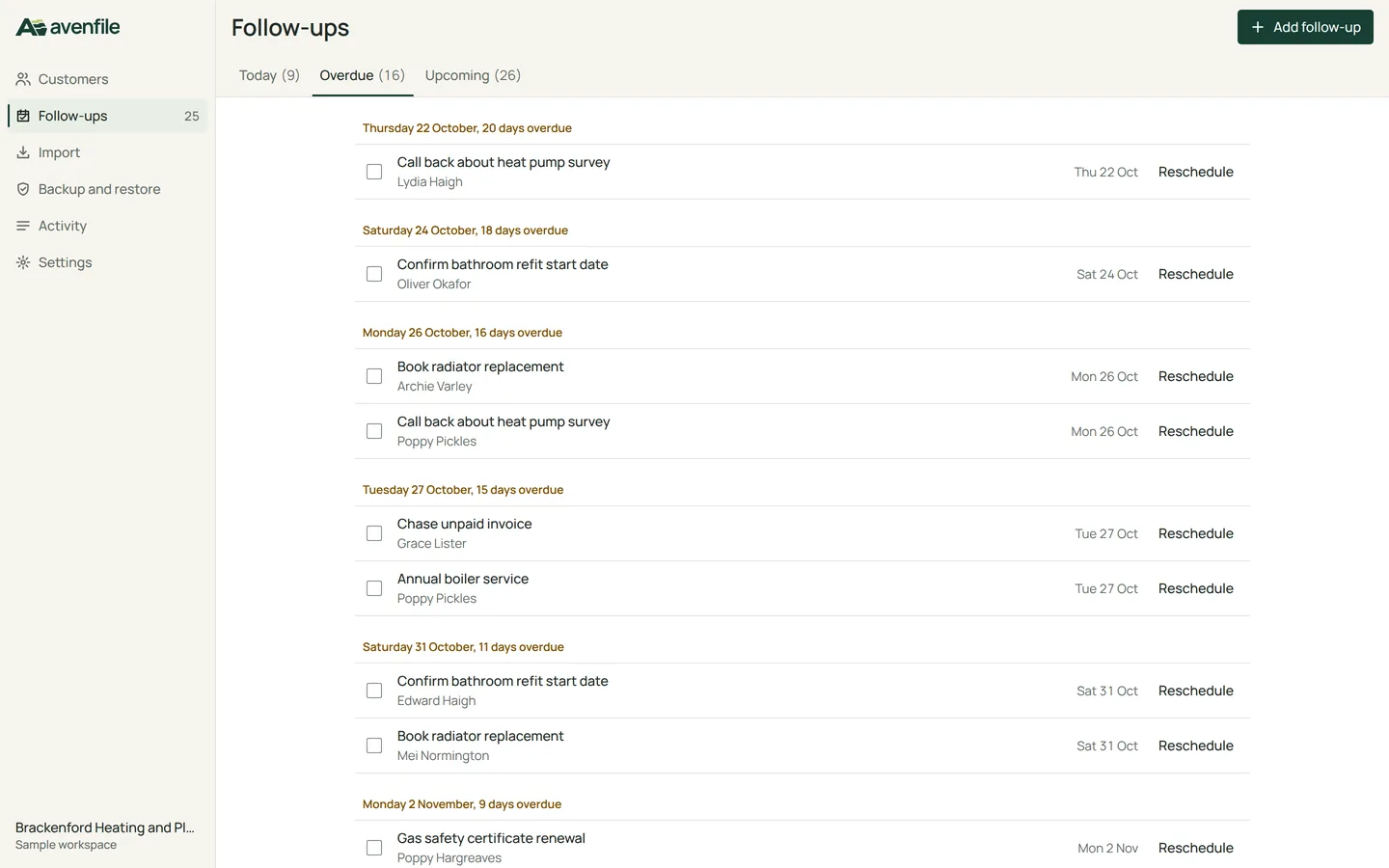
Follow-ups with real counts
Every next step has a date. Today, overdue and upcoming are counted from the records at that moment, and the count beside Follow-ups in the sidebar is the same number.
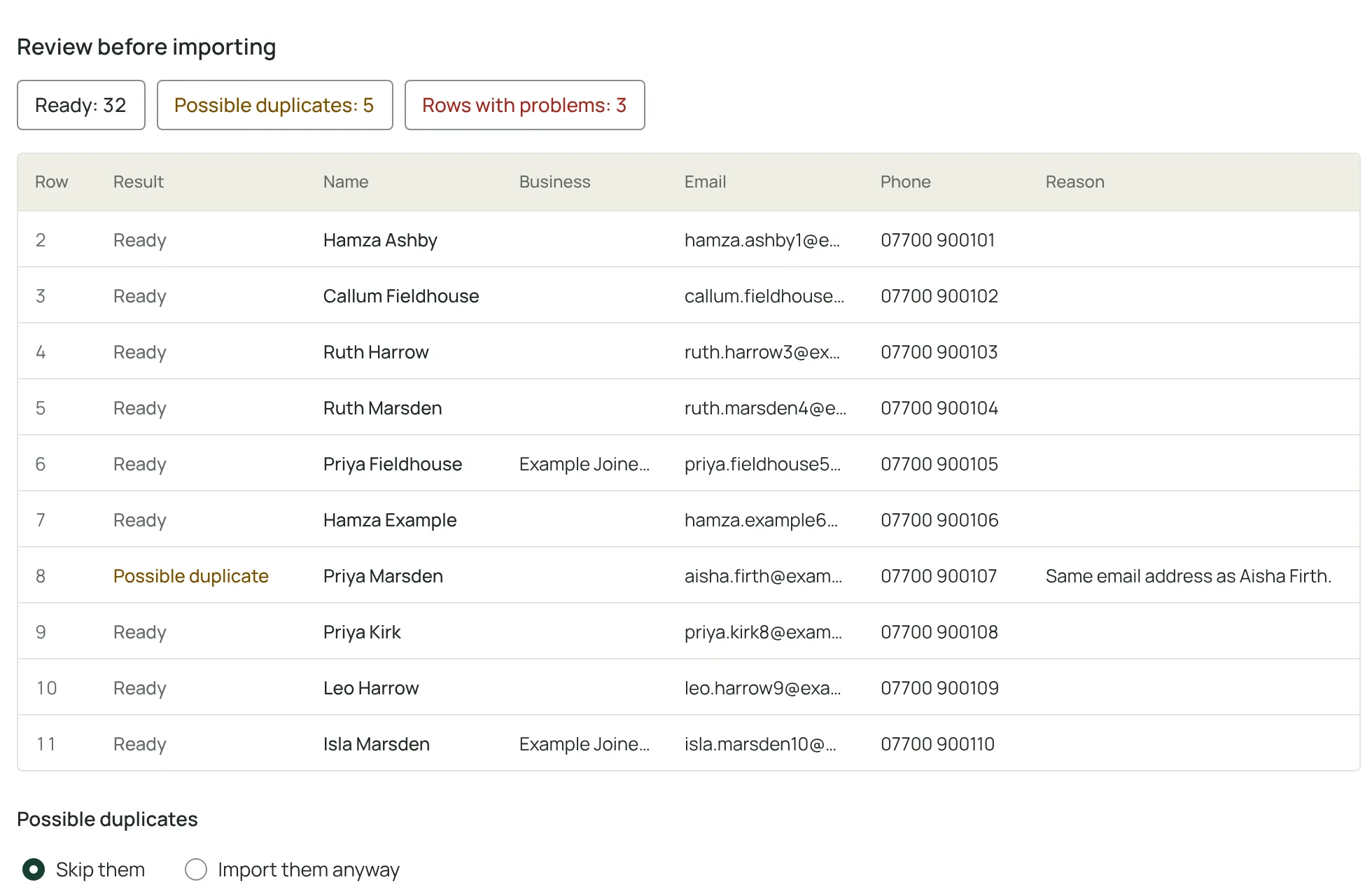
CSV import that checks before it writes
Match your spreadsheet's columns, then review every row before anything is added. Possible duplicates are found by email address or phone number, never by name or business, so two people at one company stay two customers.
Skip the duplicates or import them anyway. Rows with problems say what is wrong and can be downloaded as a file to fix and import again.
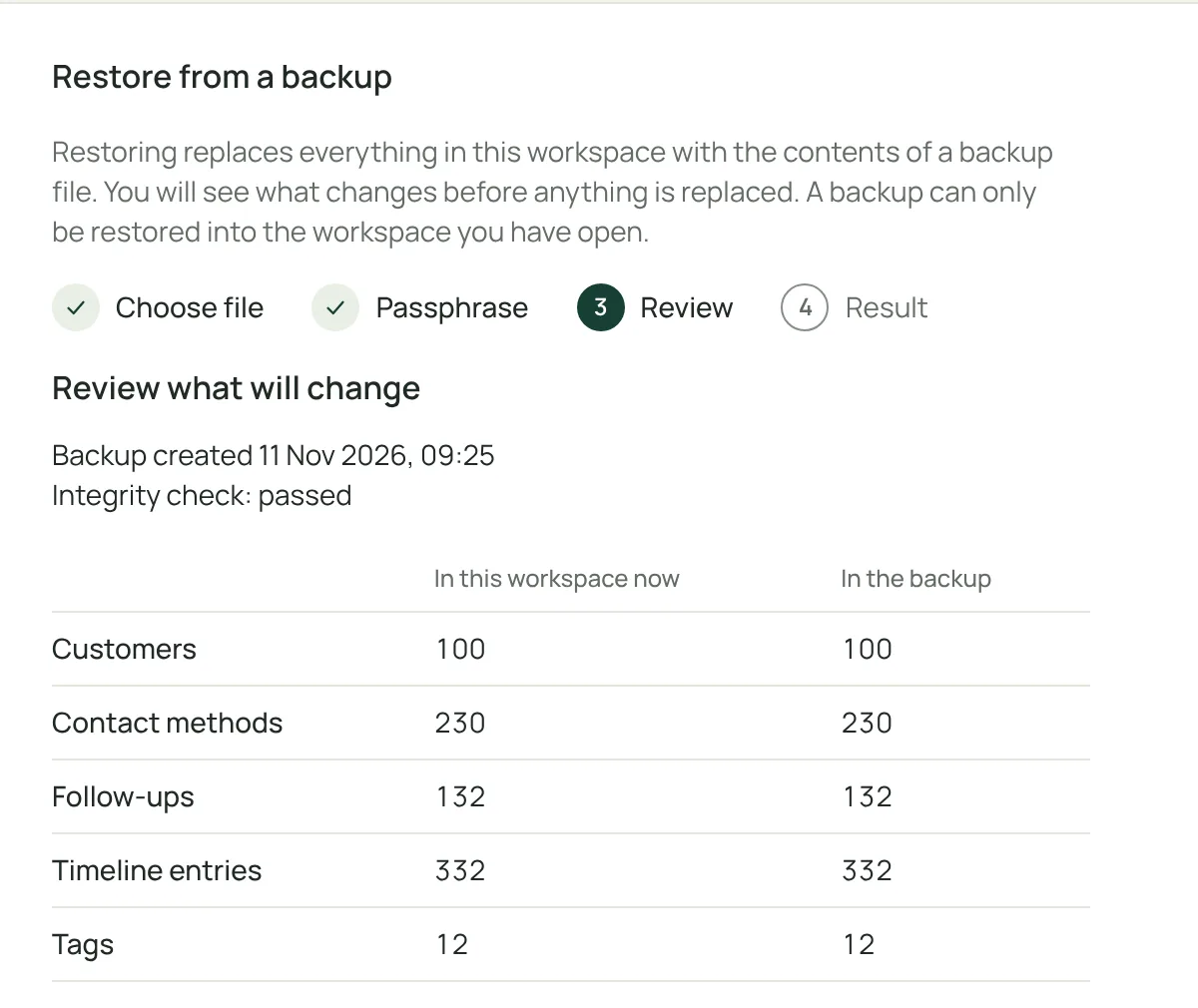
Encrypted backups and a restore you can check first
A backup is one file, encrypted with a passphrase you choose. Before a restore replaces anything, Avenfile decrypts and validates the file, shows what is in the workspace now beside what is in the backup, and saves a recovery copy of the current data.
A wrong passphrase, a damaged file or a newer format leaves every record as it was.
On your computer, or in the browser
Two ways to use Avenfile. They keep their data apart on purpose.
- The desktop app
- A native app built for Ubuntu 24.04 and Windows 11. It keeps its own encrypted database on the computer and works without an internet connection.
- The sample workspace
- Opens in the browser for anyone who wants to look around. Each visitor gets a separate workspace that only their browser can open. It is deleted 7 days after the last visit, and it is for sample data, not real personal data.
- Moving records between them
- There is no sync. To move records, create an encrypted backup in one and restore it in the other. The same backup file works in both.
How your records are protected
Stated plainly, including the limits.
-
Desktop database
Encrypted at rest with a random 256-bit key. On Windows the key is protected by your user account. On Linux it is kept in the desktop keyring, or in a key file only your user account can read when no keyring is available. Settings names which one is in use.
-
Backups
AES-256-GCM authenticated encryption, with the key derived from your passphrase by PBKDF2-HMAC-SHA256 at 600,000 iterations. The passphrase is never stored, and no key is written beside the encrypted data.
-
Restore
A backup is decrypted and validated before anything is replaced. A recovery copy of the current data is saved first, and the replacement happens in one transaction that rolls back if it fails.
-
Sample workspace
Stored on the Avenfile server, separate for each visitor, and opened only through a secure browser cookie. It is not encrypted on the server: access is limited to the service account, which is access control and not encryption. That is why it is for sample data only.
-
Nothing extra
No analytics, no trackers and no third-party requests. Fonts and scripts are served from this site.
Get Avenfile
The desktop app keeps your records on your own computer. The browser sample workspace lets you try every screen first.
- Windows 11, 64-bit (x64)
- Ubuntu 24.04, 64-bit (x64)
The packages are not code-signed, so Windows SmartScreen shows a warning before the first start. Check the SHA-256 checksum below against the file you downloaded.